


Thanks
You can find the recording and highlights here.
Overview of Box Shield Pro
Prompt Writing workshop
Customer Q&A
AI-Powered Classification
We are moving beyond traditional, rules-based classification methods to AI-driven, contextual approaches.
What is Box Shield Pro?
Ben kicked off with an overview of the recent release of Box Shield Pro. link
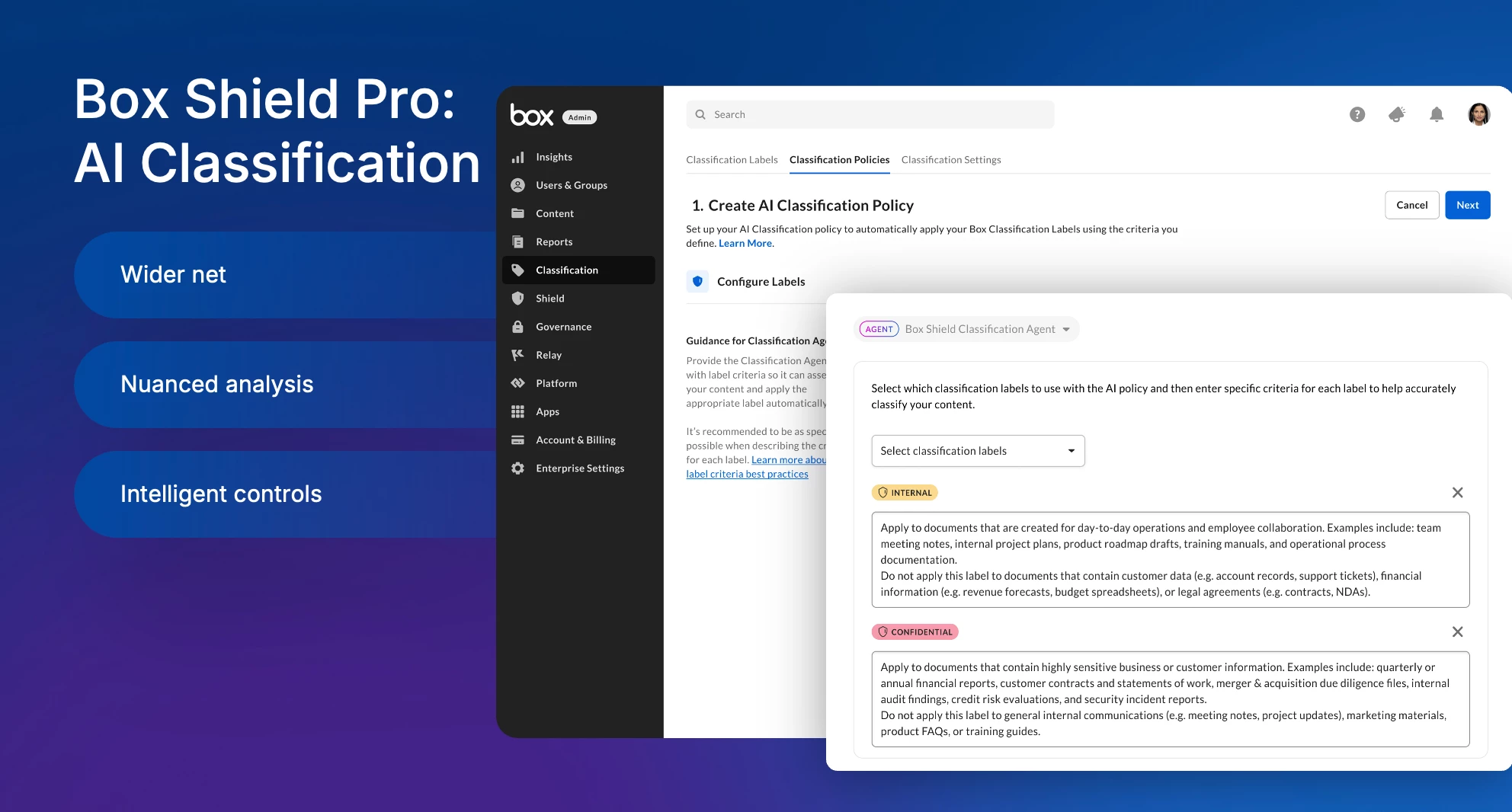
Ben explained “Shield Pro expands the coverage of automated classification of these labels and the policies they carry , letting you handle certain types of content that maybe you couldn't before .So, something that doesn't necessarily have a file ID number. You don't know exactly what you're looking for, but if you saw it , you'd recognize it . This helps you do that a little better”
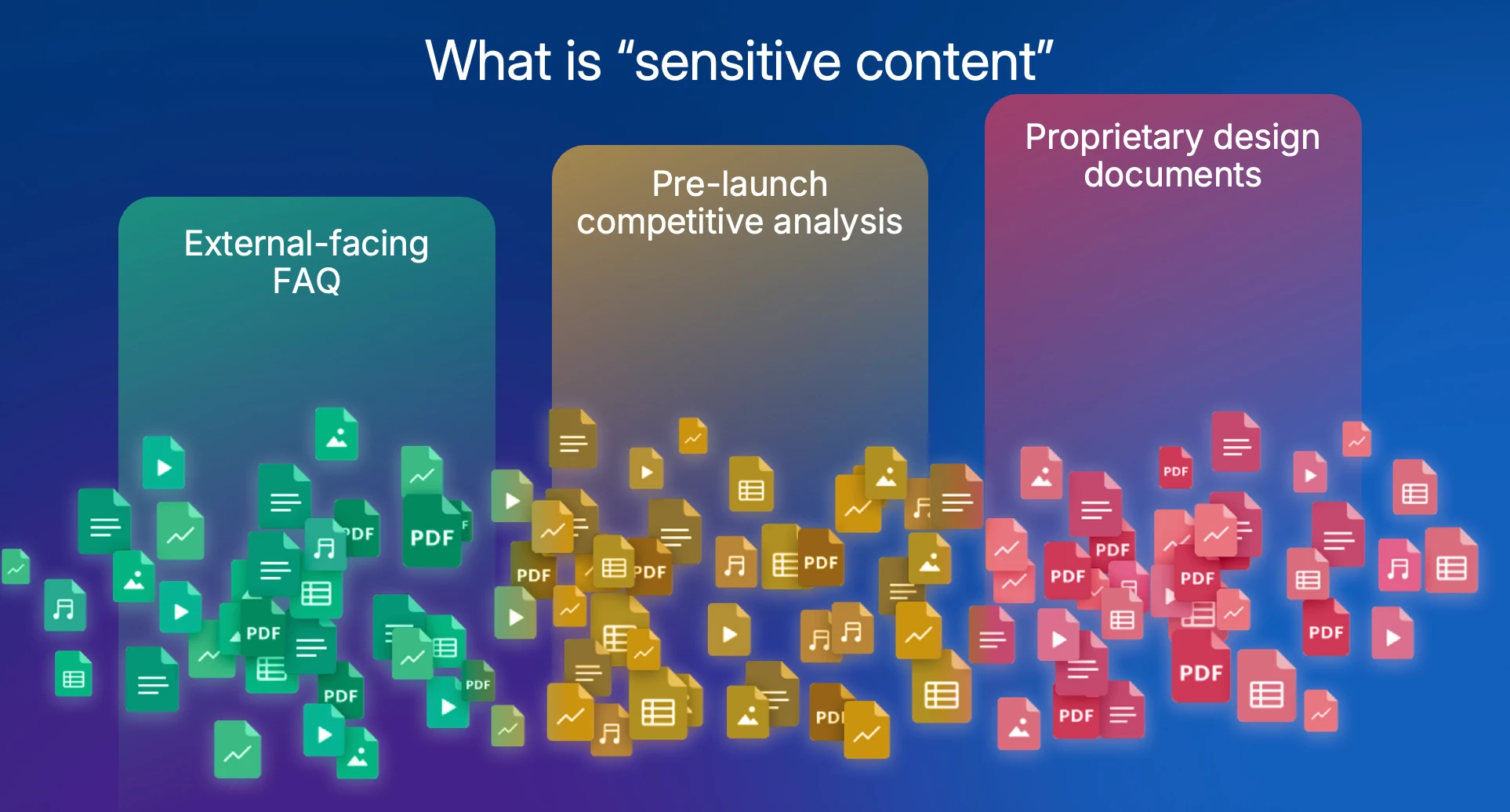
What is sensitive content?
“What do we mean by sensitivity ? It's kind of at the heart of all automated classification challenges is this document, should this be kept internal only” added Ben
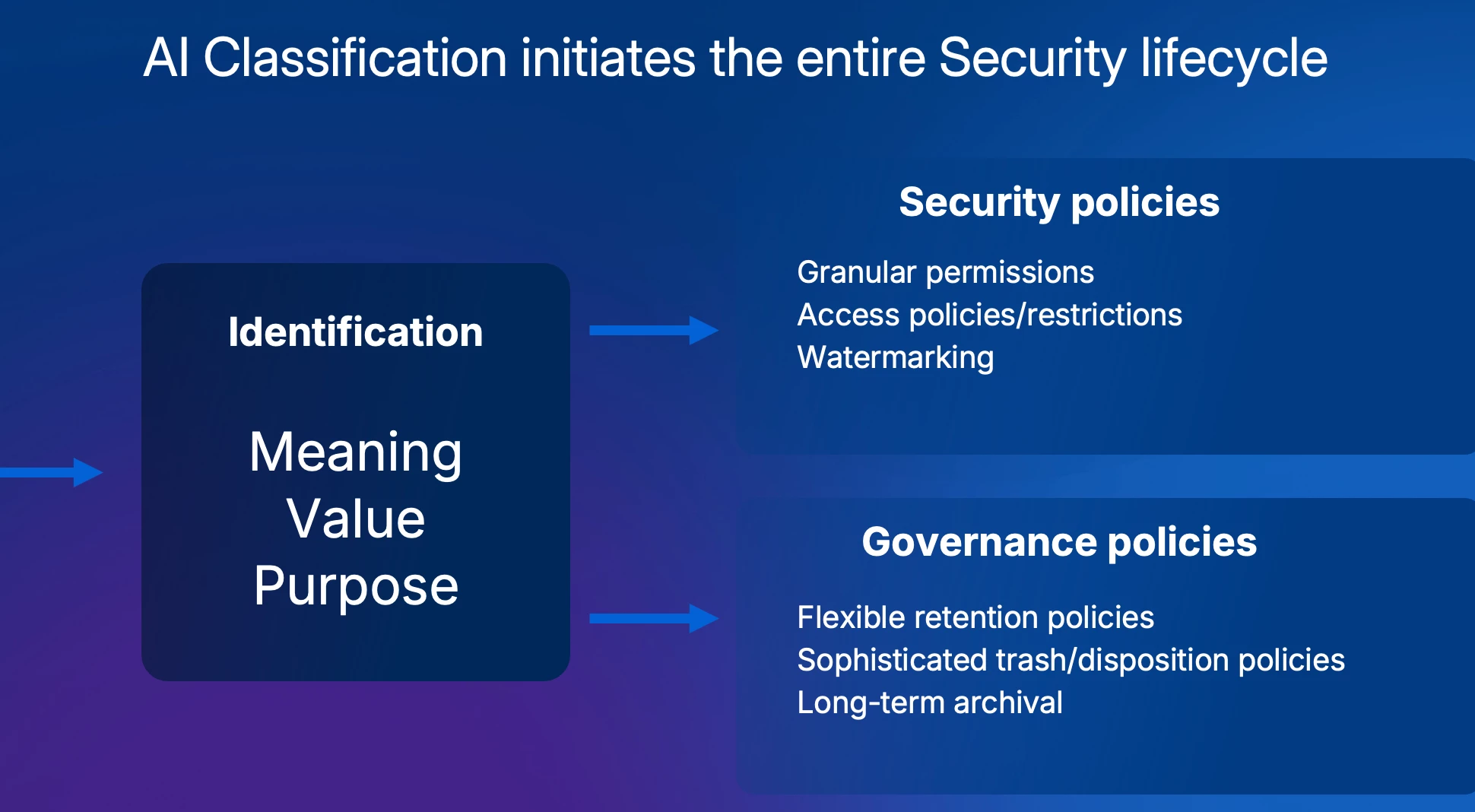
“And the reason we'd want to do this {implement AI classification} , is because once you get that classification level , if you get it correct in Box that carries all of these policies alongside it , that carries granular permissions , access controls , watermarking , a variety of governance retention and disposition policies . Looking forward , we're building an archival like it carries the entire content security lifecycle started by these policies” added Ben
Mastering AI Prompt Writing
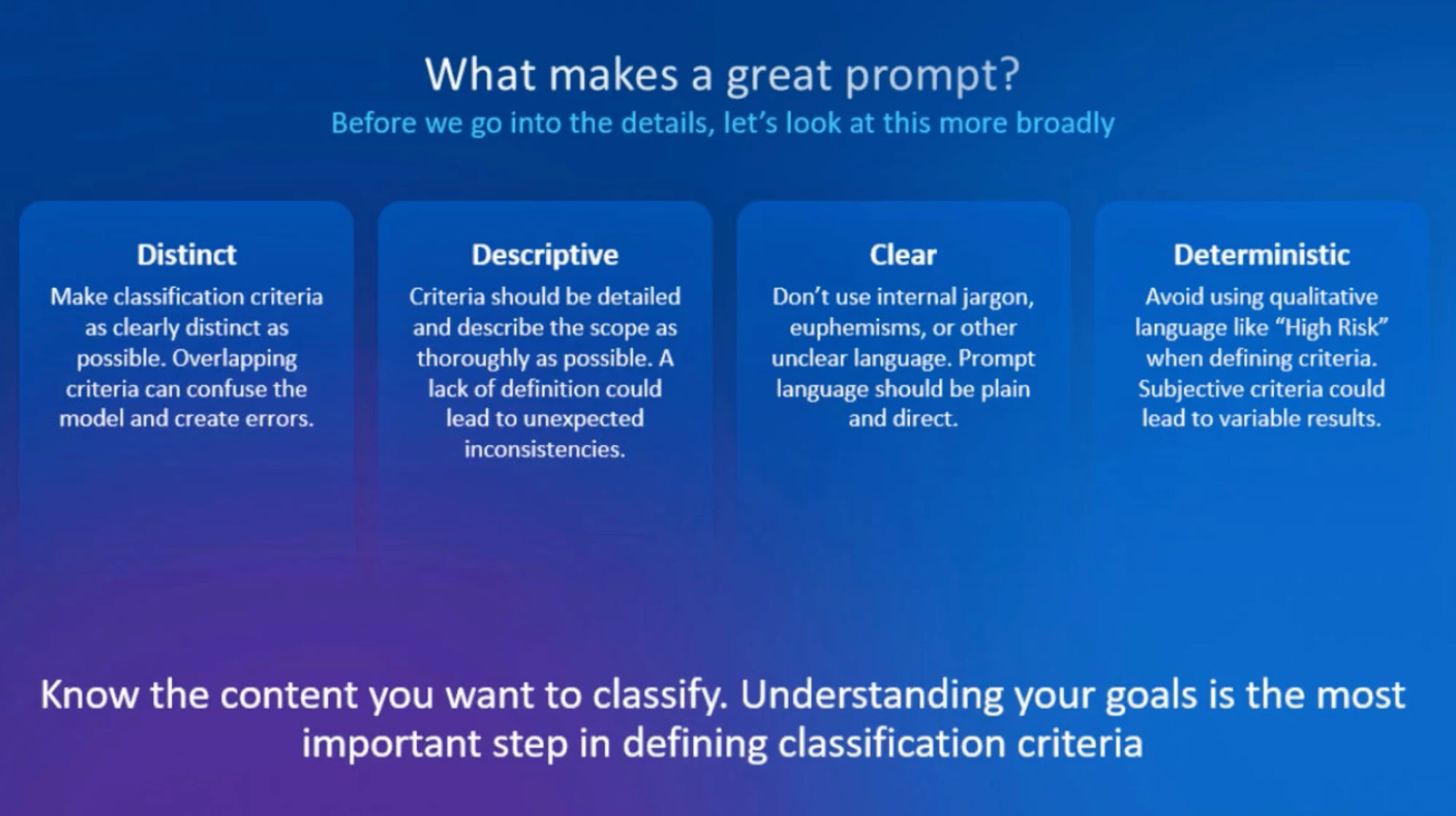
Both hosts provided guidance on crafting effective prompts, highlighting the importance of clarity and specificity. Here are some recommendations from
-
Distinct and Descriptive Prompts: Clear language ensures the AI efficiently understands what’s required. Avoid vague or overly broad terms.
-
Avoid Jargon: Internal terminologies and colloquialisms can confuse the AI model. Stick to universal, plain language.
-
Deterministic Writing: While the model analyzes context, the prompts should remain as precise and deterministic as possible.
-
Know Your Content and Goals: Tailor prompts based on what is relevant to your organization's security needs and policies.
Prompt Development Process
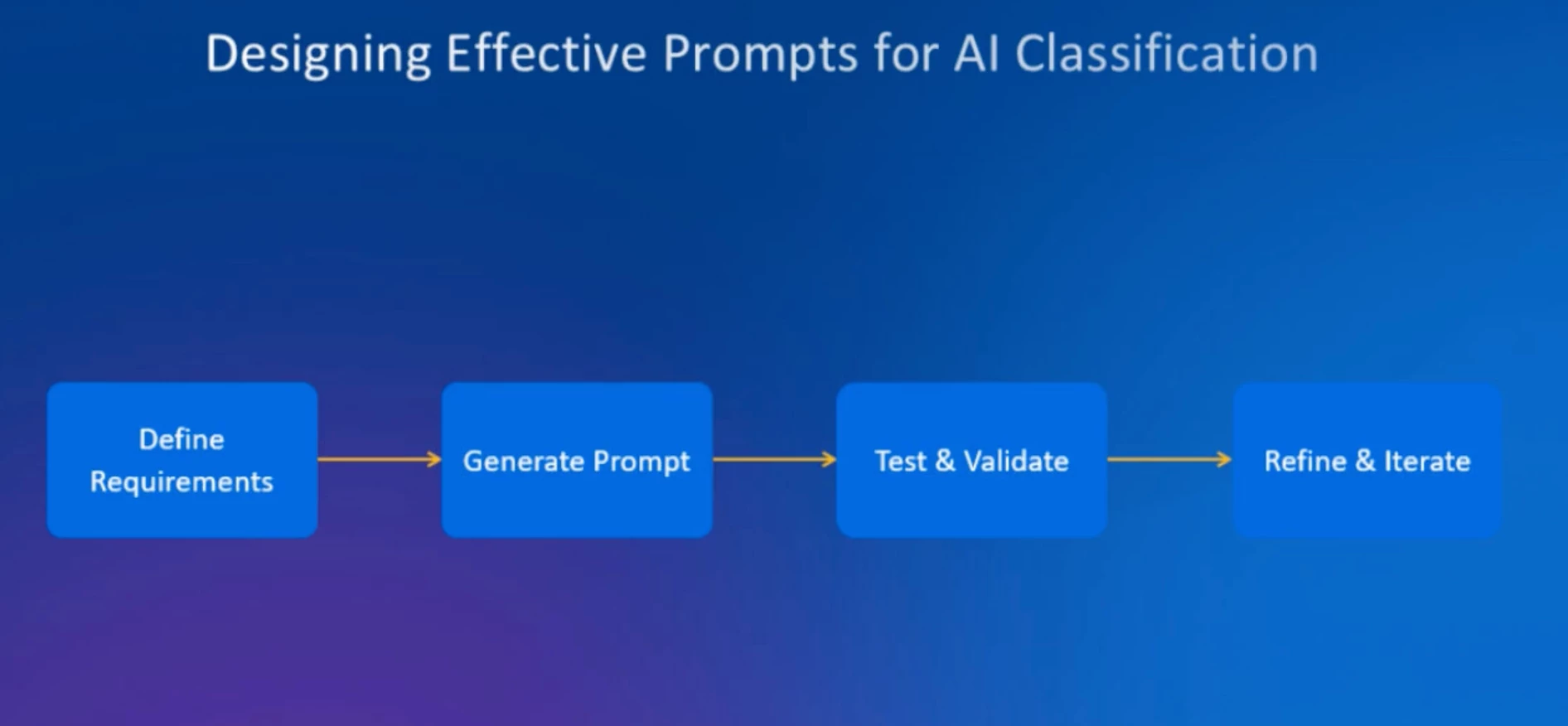
Creating effective prompts is not a one-size-fits-all approach; it requires alignment with organizational policies, security goals, and classification labels. Here are the key steps outlined:
-
Requirement Definition: Determine the type of data you want to classify (e.g., sensitive content like personal identifiers and confidential business information).
-
Label and Criteria Creation: Define classification labels, their criteria, and any exclusion parameters aligning with your security objectives.
-
Refining for LLM Compatibility: Translate definitions into a large language model (LLM)-friendly format. Input document types, key indicators, exclusion criteria, and other specifics that help the AI understand context effectively.
Testing Prompts and Enhancing Precision
Aiko highlighted “depending on your organization's security policies or data management policies , there might be scenarios where you want to optimize for recall . So , basically, try to classify as much as content as possible”
Example prompt from the workshop
Current User Challenges & Solutions
Real-world examples highlight how organizations are implementing AI classification effectively while contending with unique challenges.
One customer highlighted challenges classifying documents with a date of birth which
Scott from the Air Force revealed their use case for managing sensitive information in redacted documents. Their objective is to ensure personal identifiers such as Social Security numbers and birth dates are omitted before public distribution.
Scott posed questions about avoiding false positives when labeling documents as “rejected” versus “waiting for approval.”
How would you go about classification currently being managed with Microsoft Purview?
“Through our regular Shield offering, we do have a Purview integration. So if you have end users or any Purview Classifier applying labels to, for example, Word documents ,and that document is uploaded into Box or stored in Box, through that integration, we will read that label and apply the Box classification label based on your mapping. How does this interact with our Box's classification policies ? You can set it up in a way so that, you know, depending on what your goal is, you can say the purview label should never be modified . If I read the purview label, it should be the source of truth . Or you can say, if Box's AI classification or automated classification policies decides that a different label should apply, it will apply a different Box classification label”
Other questions include how to apply classification to externally shared folders, how to trigger workflows from classification, and AI unit pricing.
Upcoming Features and Enhancements
Box is working on improvements to prompt creation flows. Ben shared that Box is actively exploring ways to simplify this process and integrate these tools directly into the product: “We’re actively working on features to build this flow into the product and welcome user feedback to refine these enhancements.”
Additional upcoming functionality includes priority-order label definition directly via the user interface and a one-time scanning capability for static content. These advancements aim to make Box AI classification even more accessible and effective for organizations of all sizes.
Best Practices to Engage AI Tools
For those who are new to using AI classification tools, here are some best practices:
-
Plan Ahead: Know the content you are dealing with and how it aligns with organizational policies.
-
Test Thoroughly: Analyze results with sample workflows before scaling across your organization.
-
Follow Community Support Channels: Ben recommended joining Box’s security user group forum to stay updated and get technical advice. https://community.box.com/groups/security-and-governance-user-group-63
Key Takeaways
-
Context Over Rules: Box AI classification moves beyond deterministic models to analyze documents via contextual understanding.
-
Precise Prompts Are Essential: Effective AI-guided classifications depend on clear, descriptive, and jargon-free prompts tailored to organizational priorities.
-
Test and Iterate: Testing with sample files helps refine prompts and troubleshoot inaccuracies.
-
Upcoming Features: Enhancements such as one-time scanning and UI-based prioritization aim to simplify the AI classification process.
-
Feedback Welcomed: Box is actively seeking user insights to further improve its offerings and create intuitive workflows.
Question for Box Security and Governance Community
Have you used generative AI, in any way, to help identify or define sensitivity at your organization? Please share your experience in the chat.