
Question

Shared Link Issues

  • Oct 27, 2026 4:01 PM UTC
  • 1 reply
  • 16 views
  • Translate All

Hello,

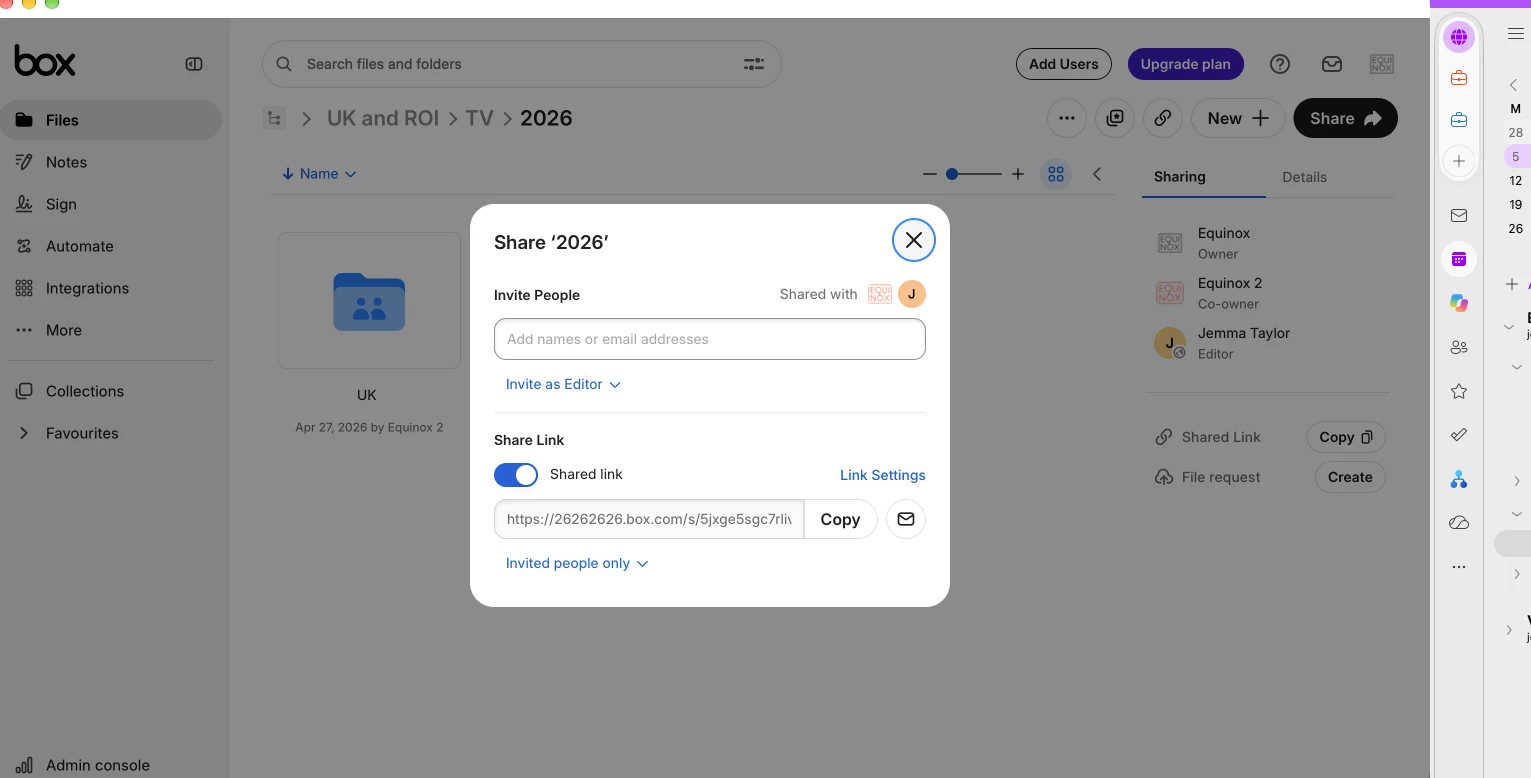
My account has all of the correct settings ticked to be able to share files with anyone who has access to the share links, however it is still only allowing me to share links with invited people only despite this. 

I have checked all for my settings and still don't know what I have selected or restricted that isn’t allowing to share links with anyone. I have attached a screenshot of my settings. 

Please can anyone advise me on why I can only share with ‘invited people only’? I need to share links for works however this is preventing it!

Thank you.
 

1 reply

Jey Bueno Box
Forum|alt.badge.img
  • Community Manager
  • Oct 27, 2026 6:42 PM UTC

 Hi ​@Equinox, thank you for reaching out! I’d be glad to assist.


Even when your enterprise settings look correct, shared links can still get stuck on 'Invited people only' for a few sneaky reasons. Here’s a quick checklist you can run through to see what's going on:


1. Check the "Allow Shared Links For" setting (Admin Console)


Admin Console → Enterprise Settings → Content & Sharing → Shared Links

Look at the "Allow shared links for" dropdown:

  • If it's set to "Folders only", then shared links for files are automatically restricted to Invited people only — regardless of other settings.
  • It should be set to "Folders, files, and hubs" (the default) to allow open sharing for all content types.

2. Verify "People who can access shared links" (Admin Console)

In the same Shared Links section, check the "People who can access shared links" setting:

  • It must be set to "People with the link, people in your company, and people in this folder" (the default) to allow anyone with the link to access content.
  • If it's set to "People in this folder or file only", all shared links will be restricted to collaborators only.

📌 Reference: Enterprise Settings: Content & Sharing Tab
 

3. Check your own account-level sharing settings

Even if enterprise settings are correct, individual account settings can be more restrictive. As the admin, check your own account:

  1. Click your profile icon (top right) → Account Settings
  2. Click the Sharing tab
  3. Under "People who can access shared links", make sure it's set to "People with the link, people in your company, and people in this folder" — not "People in this folder only"

📌 Reference: Unable to Create Shared Link with Certain Access Level


4. Check folder-level settings

If the issue is specific to content in a particular folder:

  1. Right-click the folder → Settings
  2. In the Shared Link Access section, check whether "Only collaborators can access this folder via shared links" is enabled
  3. If checked, uncheck it and save


If you've checked all of the above and the issue persists, please submit a ticket (or click here to access the ticket form) so our Support team can review your specific account configuration.


You're also welcome to share more details here in the community — the community is a great place to get peer input! 😊

Translate

