
Question

Non-private custom URL settings

  • February 16, 2026
  • 2 replies
  • 42 views

Hi there, I need to share a link with many people outside the company. However, the "Non-private custom URL" setting is disabled (greyed out) in my sharing options.

Could you check if there’s a restriction on my account or if you can enable this for me? Thanks!
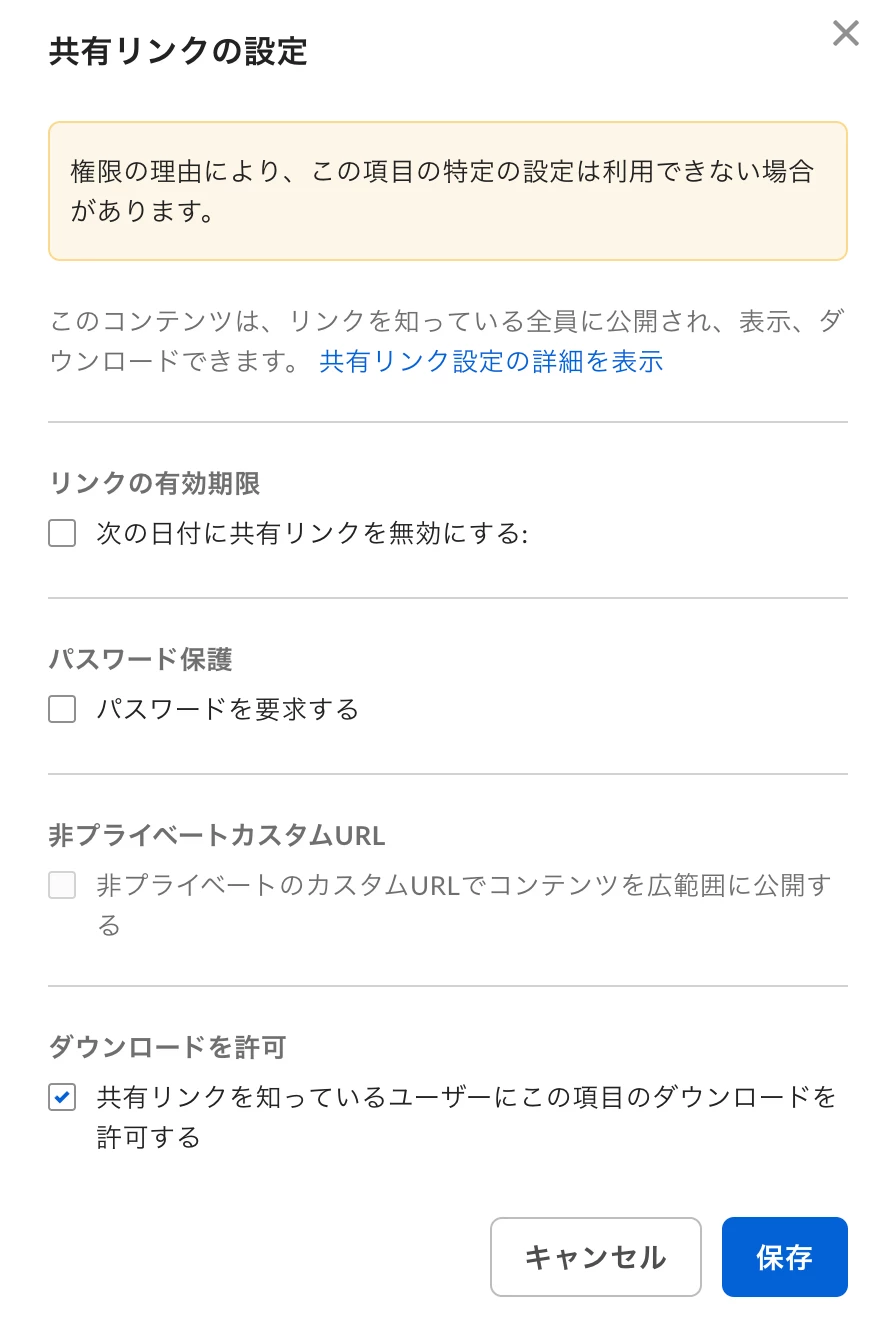
2 replies

  • Author
  • New Participant
  • February 16, 2026


Jey Bueno Box
  • Community Manager
  • February 17, 2026

👋 Hi ​@tomohito, welcome to the Box Community!


If the Custom Shared link is not yet enabled in the enterprise settings, as the admin, kindly follow the steps below:

  • Login to your Box account 
  • Go to Admin Console 
  • Click Enterprise Settings 
  • Select Content & Sharing and look for Custom Shared Link 
  • Click Allow custom shared link URL's for links with public access
  • Click Save


Also, for non-owners of folders, you need to be an editor or co-owner of the folder in order to enable the “Non-private custom URL”.


You can reach out to the owner of the item/folder and request to change your permission if you would like to enable this feature. This can only be changed by the folder owner. You can pass this instruction to the owner below.

  1. Click the folder and hover your mouse to the “Sharing” tab > look for name (name of the user to be given permission) in the list and click the ellipses(...) next to it. 
  2. Select the permission you'd like to choose in the drop down menu.


Once you or a user is granted Co-Owner permission, kindly try again to enable the feature.


If you have other concerns, please let us know.
