Unable to Create Box Note Using Markdown-to-Box Note API

  • September 18, 2026
  • 2 replies
  • 85 views

Forum|alt.badge.img

I am trying to test the Box API endpoint /2.0/notes/convert in Postman, which is used to convert Markdown content into a native .boxnote file in a target Box folder.

However, I am not receiving the expected output when making the API request. I would like assistance in understanding the correct request format, required parameters, headers, and any specific requirements for successfully creating a .boxnote file from Markdown content.

API Endpoint:
https://api.box.com/2.0/notes/convert

Environment: Postman

Expected Result:
The Markdown content should be converted into a native Box Note (.boxnote) and created in the specified target folder.

Actual Result:
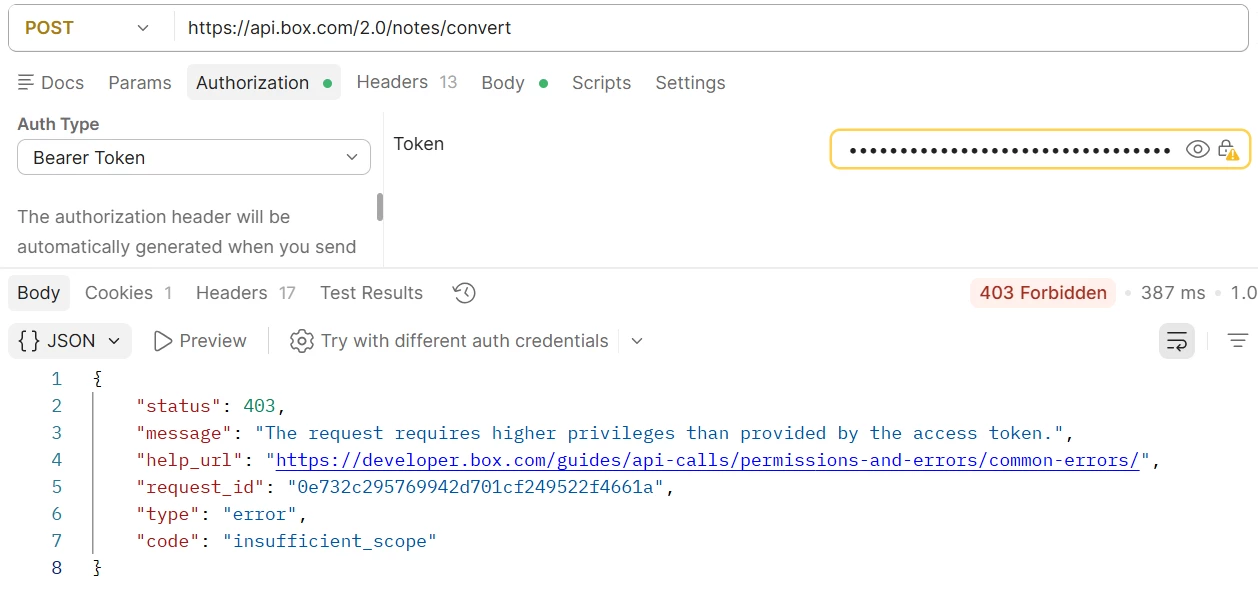
The API request giving the below error (Screenshot attached)

Please provide guidance on the correct API request and any required configuration or permissions needed for this operation.
Are this APIs only available for higher tier subscriptions? If yes the description in the “Plan comparison” is misleading because it does not state which APIs are available per plan.



  •  

2 replies

chriskim
  • Box Employee
  • September 29, 2026

Hi Sharad,

Your screenshot shows 403 Forbidden with the error code insufficient_scope. This error typically means the application lacks a scope needed for the operation. Please check the application’s scopes and reauthorize it where applicable. Box error documentation

Start with these checks:

  1. In the Developer Console, open your application’s Configuration → Application Scopes and check that Read and write all files and folders (root_readwrite) is enabled.
  2. Save any changes and obtain a new access token. For OAuth, authorize the app again; for JWT or Client Credentials Grant, have your administrator reauthorize the app if its scopes changed.
  3. Ensure your OAuth authorization request does not restrict the token to read-only access.
  4. Confirm that the user or service account represented by the token can create files in the target folder. Application scopes and folder permissions both apply. Box scope documentation

For Postman, use:

Method: POST
URL: https://api.box.com/2.0/notes/convert

Headers:

Authorization: Bearer YOUR_ACCESS_TOKEN
Content-Type: application/json
box-version: 2026.0

Select Body → raw → JSON, then enter:

{
"content": "# My note\n\nHello from Markdown.",
"content_format": "markdown",
"parent": {
"type": "folder",
"id": "YOUR_FOLDER_ID"
},
"name": "Markdown test"
}

Replace YOUR_FOLDER_ID with the destination folder’s ID. This follows Box’s official Postman example, which documents a successful response as 201 Created containing the new file’s ID.


Forum|alt.badge.img
  • Author
  • New Participant
  • October 6, 2026

Hi Chris,

Thank you for the detailed response.

I had check below details:

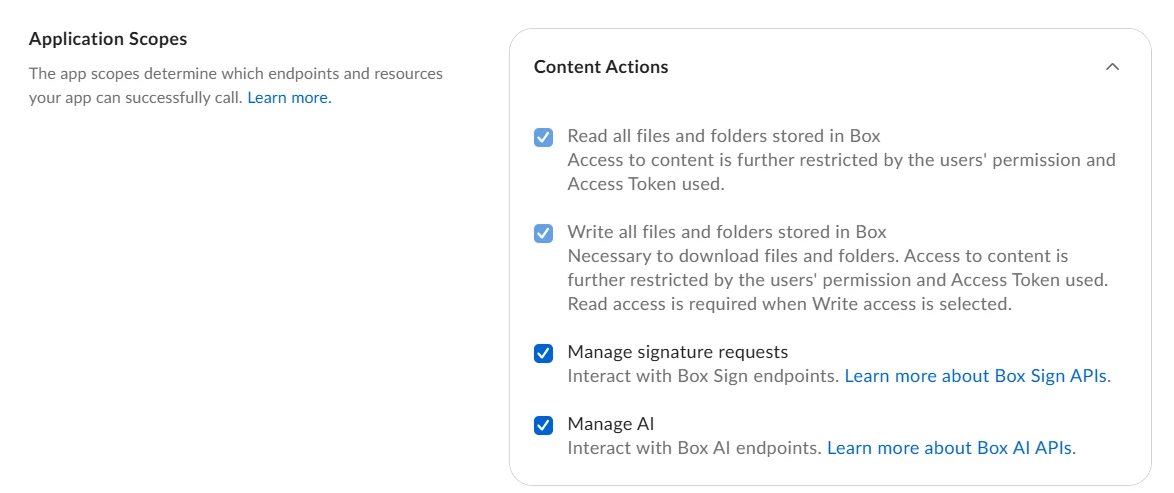
 - We have already enabled Configuration → Application Scopes → Read and write all files and folders for our application as you can see in Screenshot attached.


 - Token has read/write permission as you can see in below screenshot


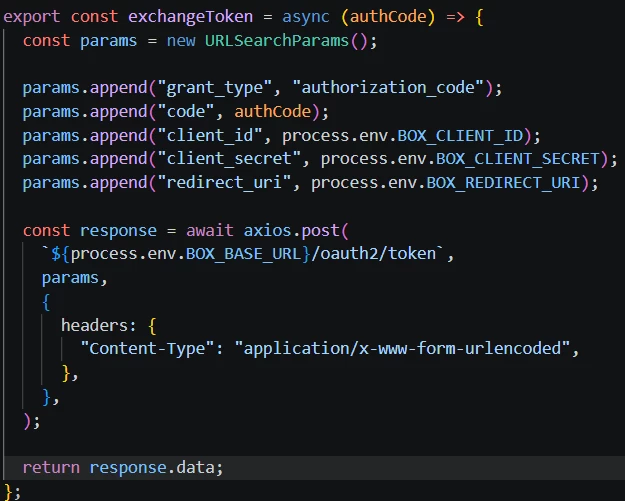
Our application is an embedded Box app, launched from the Box UI context menu. We use OAuth authorization-code flow to generate the access token. Below is the token exchange code we are currently using:


but we are still seeing the 403 Forbidden / insufficient_scope error when calling /2.0/notes/convert.

Can you explain a bit more on:

  • how we can re-authorize the app from admin console.
  • How to Ensure your OAuth authorization request does not restrict the token to read-only access.


Thanks for your help.