Solved

How can I change this text language?

  • October 30, 2025
  • 2 replies
  • 152 views

Forum|alt.badge.img


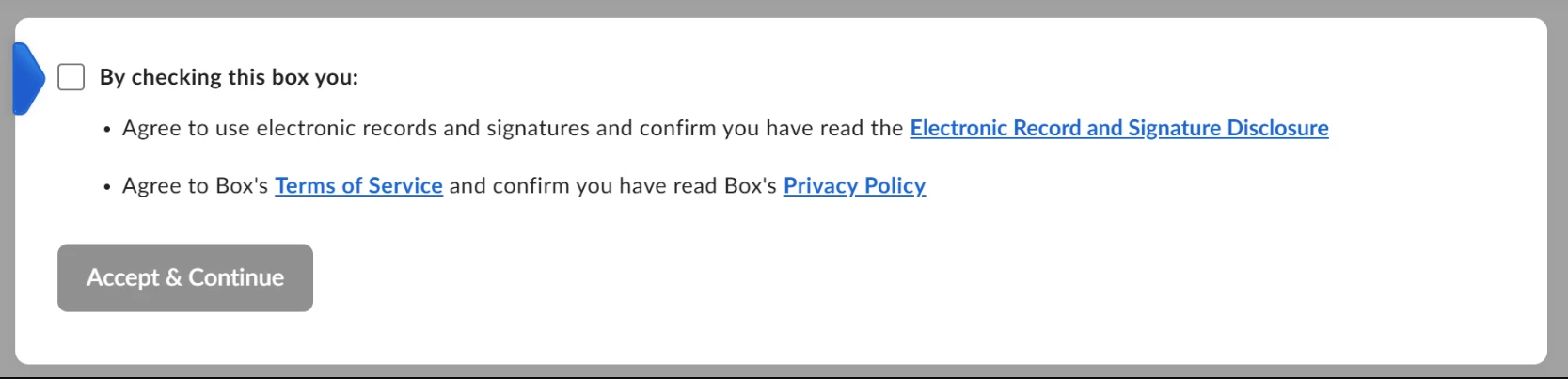
I am creating a signature request using the API. When the end user accesses the sign-in link, this dialog appears and is in English language. How can I change this text language?

Best answer by Hiro Box

Hi ​@Rohan,

To my understanding, based on the Box Sign WebApp behavior, the disclosure checkbox dialog is displayed in English by default.

However, the signer should see the disclosure dialog in their local language if either of the following applies:

  • The signer does not have a Box account and has their browser language set to the local language.
  • The signer has a Box account and has their Box account language settings set to the local language.

2 replies

Hiro Box
  • Box Employee
  • Answer
  • November 1, 2025

Hi ​@Rohan,

To my understanding, based on the Box Sign WebApp behavior, the disclosure checkbox dialog is displayed in English by default.

However, the signer should see the disclosure dialog in their local language if either of the following applies:

  • The signer does not have a Box account and has their browser language set to the local language.
  • The signer has a Box account and has their Box account language settings set to the local language.

Hiro Box
  • Box Employee
  • April 6, 2026

As an update, Box Sign now supports setting recipient-specific languages via the Box API.

This is especially useful for signers who are not logged in, as their experience would otherwise default to English.

With this enhancement, you can explicitly set the language for each recipient using the language parameter, ensuring both email notifications and the signing experience are localized as intended.

More details:
https://support.box.com/hc/en-us/articles/50435740381459-API-support-for-multiple-recipient-languages-in-Box-Sign