

Question

429 Too Many Requests when obtaining OAuth2 access token using Client Credentials Grant (Microsoft Sentinel REST API Poller)

  • July 7, 2026
  • 3 replies
  • 35 views

Forum|alt.badge.img

Hi everyone,

I have used Box Microsoft Sentinel Codeless Connector (CCP) connector which uses the REST API Poller to ingest Box Enterprise Events.

The connector authenticates using the Client Credentials Grant against the Box OAuth endpoint.

OAuth Endpoint

POST https://api.box.com/oauth2/token

Grant Type

client_credentials

Additional Parameters

box_subject_type=enterprise
box_subject_id=<Enterprise ID>

The connector configuration is similar to:

"auth": {
"type": "OAuth2",
"grantType": "client_credentials",
"TokenEndpoint": "https://api.box.com/oauth2/token"
}

However, the connector consistently fails.

Microsoft Sentinel reports the following error:

RES40001

Invalid Credential or cannot get credential for example OAuth2 access token.

Call failed with status code 429 (Too Many Requests):
POST https://api.box.com/oauth2/token

Note that the credentials used are valid, Microsoft Sentinel Data Connector shows the following:
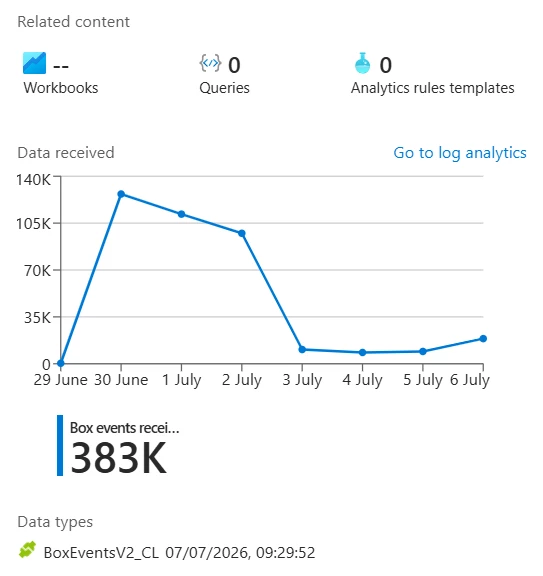


3 replies

You’re hitting API rate limits:

https://developer.box.com/guides/api-calls/permissions-and-errors/rate-limits
 

Easiest way to resolve is to leverage retryCount and Retry-After, and/or rateLimitsQPS.

Alternately, increase your polling interval.


Forum|alt.badge.img
  • Author
  • New Participant
  • July 8, 2026

You’re hitting API rate limits:

https://developer.box.com/guides/api-calls/permissions-and-errors/rate-limits
 

Easiest way to resolve is to leverage retryCount and Retry-After, and/or rateLimitsQPS.

Alternately, increase your polling interval.

Hi Chuck,


Thanks for letting me know. 


Is there any controls from BOX that I can change or make some specific bypasses for such connector?


Best,


No, the HTTP 429 error is a standard way of implementing rate-limiting.  You have to incorporate that into your logic by doing something like pooling app users or implementing an exponential back-off/retry.

But, per my previous message, there are configuration options on the Microsoft side to help with this:

Easiest way to resolve is to leverage retryCount and Retry-After, and/or rateLimitsQPS.

Alternately, increase your polling interval.