Question

Remove Owner who left the company and is unreachable

  • July 22, 2026
  • 6 replies
  • 21 views

The owner has been laid off and I am co-owner of the folder. So basically I cannot reach the current owner and ask to transfer the ownership.

I want his owner role to be transferred to me. There were 2 other people who were laid off and I was able to remove them from the collaborators of the box folder. I hope that did not delete any folders or files they have created. 

I saw submitting a ticket is an way but that option is not available in the website. 

Please help me with this.

6 replies

Jey Bueno Box
Forum|alt.badge.img
  • Community Manager
  • July 22, 2026

👋 Hi ​@Kanak, welcome to the Box Community! I’d be happy to assist.


📌 For transferring ownership of the folder


Because you are a Co-owner and not the Owner, you cannot directly transfer the ownership role to yourself from the Box web app. Only the folder Owner (or a Box Admin) can initiate a direct ownership transfer. Since the owner is unreachable, you have two primary paths to resolve this:

  • Contact the Box Administrator:
    Your company’s Box Admin or Co-admin has access to the Admin Console and can use the Content Manager to perform the ownership transfer on behalf of the departed user. They can easily reassign the folder’s ownership to you without needing the former employee’s involvement.
  • Deprovisioning flow (if the user’s account is being deleted):
    If your IT department or Box Admin is in the process of deprovisioning/deleting the departed employee’s Box account, they will be prompted to transfer all of that user’s owned content. They can designate you as the recipient during this standard deprovisioning flow (applicable if you’re a managed user on the same enterprise).

Contact Box Support:

  • If your organization does not have an active Admin who can perform this, or if you encounter issues, your Admin can open a support case with Box Product Support to request an ownership transfer. They will need to provide the Current Owner’s email, New Owner’s email (yours), and the Folder ID.
     

📌 Regarding removing laid-off collaborators


Removing the other 2 laid-off people from the folder’s collaborator list did not delete any folders or files they created within that shared folder.


In Box, once a file or folder is created inside a shared folder, it is governed by the ownership of the root folder (which is currently owned by the departed owner’s account, and will eventually belong to you once transferred). Removing a collaborator simply revokes their access permissions to the folder; it does not delete or alter any content they uploaded or collaborated on while they were members.


Please feel free to reach out if you have any other concerns.


  • Author
  • New Participant
  • July 22, 2026

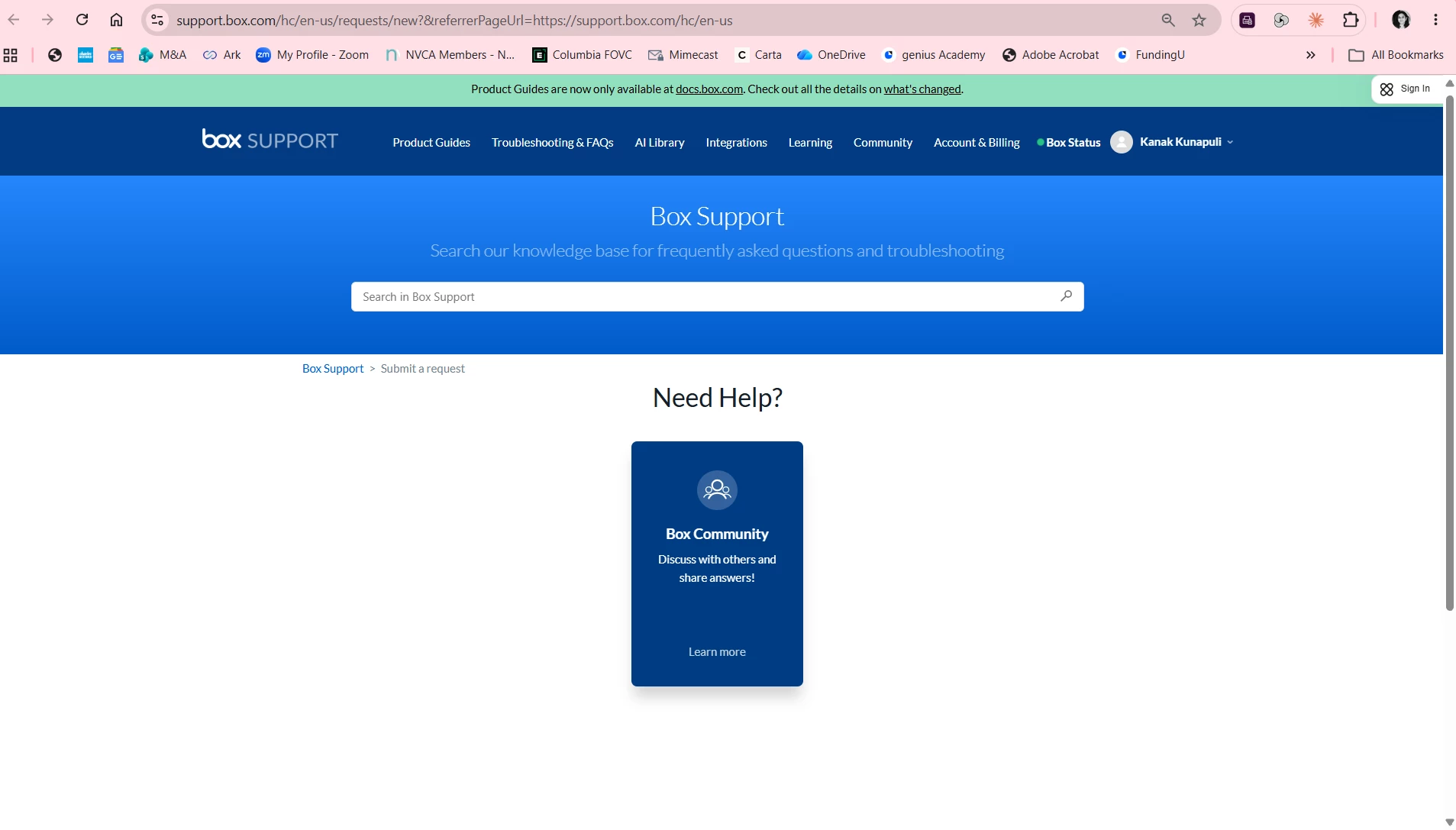
Our organization does not have an admin.  I cannot open support case. Below is what I see when I click the link.


  • Author
  • New Participant
  • July 22, 2026

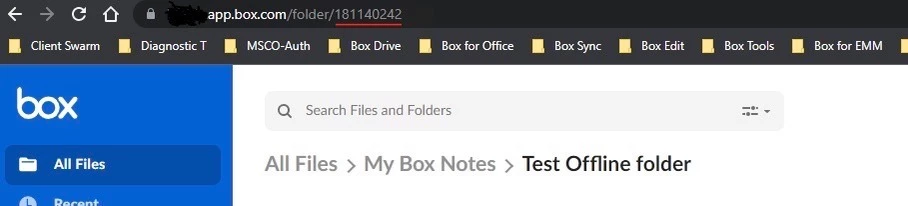
Also how can I get the folder ID? Where can I find it?


Jey Bueno Box
Forum|alt.badge.img
  • Community Manager
  • July 22, 2026

Thank you for your prompt response. Please note that direct ownership transfers can only be initiated by the current folder Owner or a Box Administrator (for applicable accounts).


Our support channels vary depending on your account type, with Product Support being available for our paid plans. If the current owner has a paid account, we highly recommend having them contact our Product Support team directly for further assistance. While I understand they are currently unreachable, establishing contact with the owner is necessary to successfully complete the ownership transfer to you.


To locate your folder ID, log in to box.com, open the folder, and look at your browser’s address bar -- the series of numbers at the end of the URL is the folder ID.


Thanks for your patience and understanding with this matter.


  • Author
  • New Participant
  • July 22, 2026

We have paid account. We are paying for 6 people. I think I mentioned already in my first message that current owner has been laid off and is unreachable. I do not understand the suggestion you are giving. As the current owner left I do not know for sure how to contact product support team directly. 

I cannot reach the laid off employee to finish this. There has to be alternative. I saw I can provide credit card details as an alternative. I can give you our email ids if that will help.


Jey Bueno Box
Forum|alt.badge.img
  • Community Manager
  • July 23, 2026

Dear ​@Kanak, thank you for the clarification.


Since your paid account has 6 seats, I assume it’s under a business/enterprise account managed by an administrator (unless the admin is also the owner you mentioned, which would make the options I previously provided no longer feasible). To ensure you have access to the appropriate support channels for your account type, please sign in to the Box Support page using the credentials associated with that paid account.


If you are unable to sign in, or if the support channels are unavailable for any reason, please click here to access our ticket form. Once our Product Support team receives your ticket, they will contact you via email to assist you further.


Thank you so much, and I look forward to getting this sorted out for you.