
Question

re - Cannot change provisioned user's email address in Admin Console (Field is disabled)

  • March 3, 2026
  • 1 reply
  • 37 views

hi,

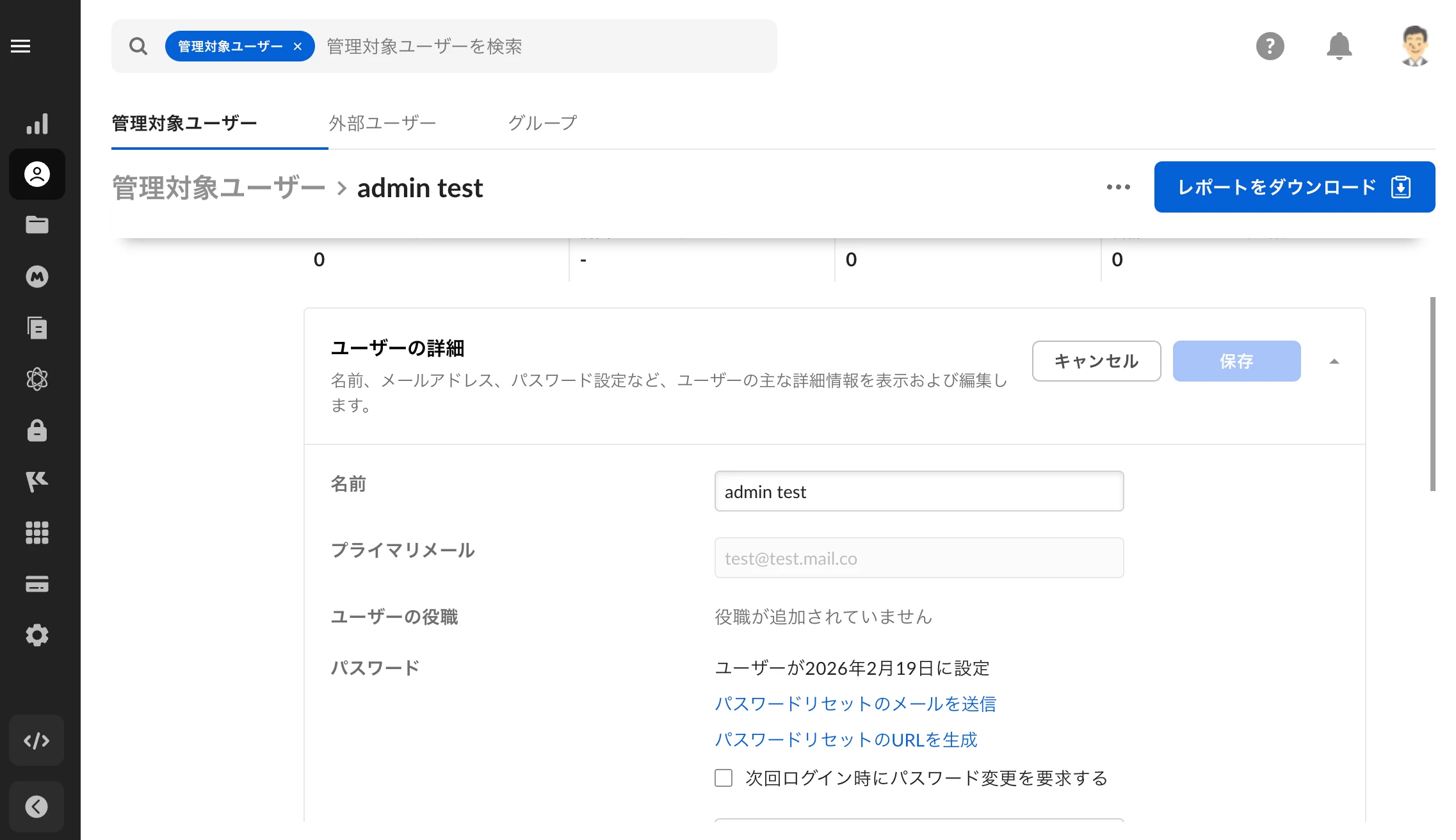
I am trying to change the email address of a provisioned user from the Box Admin Console. However, as shown in the attached screenshot, the email text box is disabled/grayed out, and I cannot type anything into it.

Just to clarify, the email address shown in the image is a dummy for privacy, but the actual user has a valid, working email address and has already successfully logged in once.

Does anyone know how to resolve this issue so I can update the email address as an admin? Any advice would be greatly appreciated!



1 reply

Jey Bueno Box
  • Community Manager
  • March 4, 2026

👋 Hi ​@sakuto.2026, welcome to the Box Community!


There’s a setting in the Admin Console that restricts users from changing their primary email address. Can you please double-check the setting on your end?


To review and update the setting:

  • Go to Admin Console > Enterprise Settings > Security > Signup and Login > User email/login
  • Uncheck the box that restricts changes to the primary email address and save your changes


If you still need help or continue to experience the issue, please submit a ticket to Product Support.


Looking forward to getting this resolved.
