
We are excited to introduce new admin controls for the Box MCP server, providing enterprises with the essential guardrails needed to manage how AI agents interact with their content.
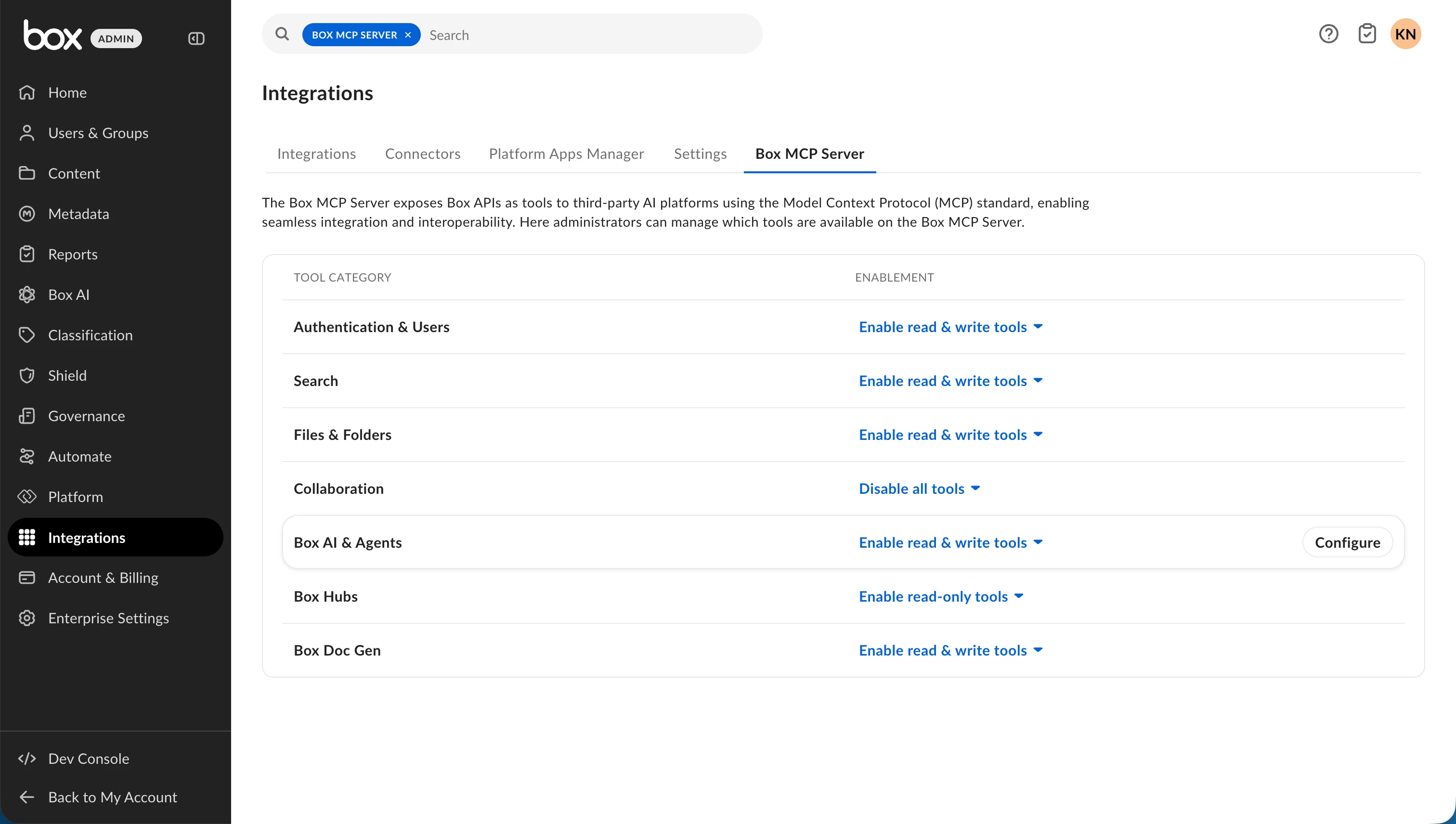
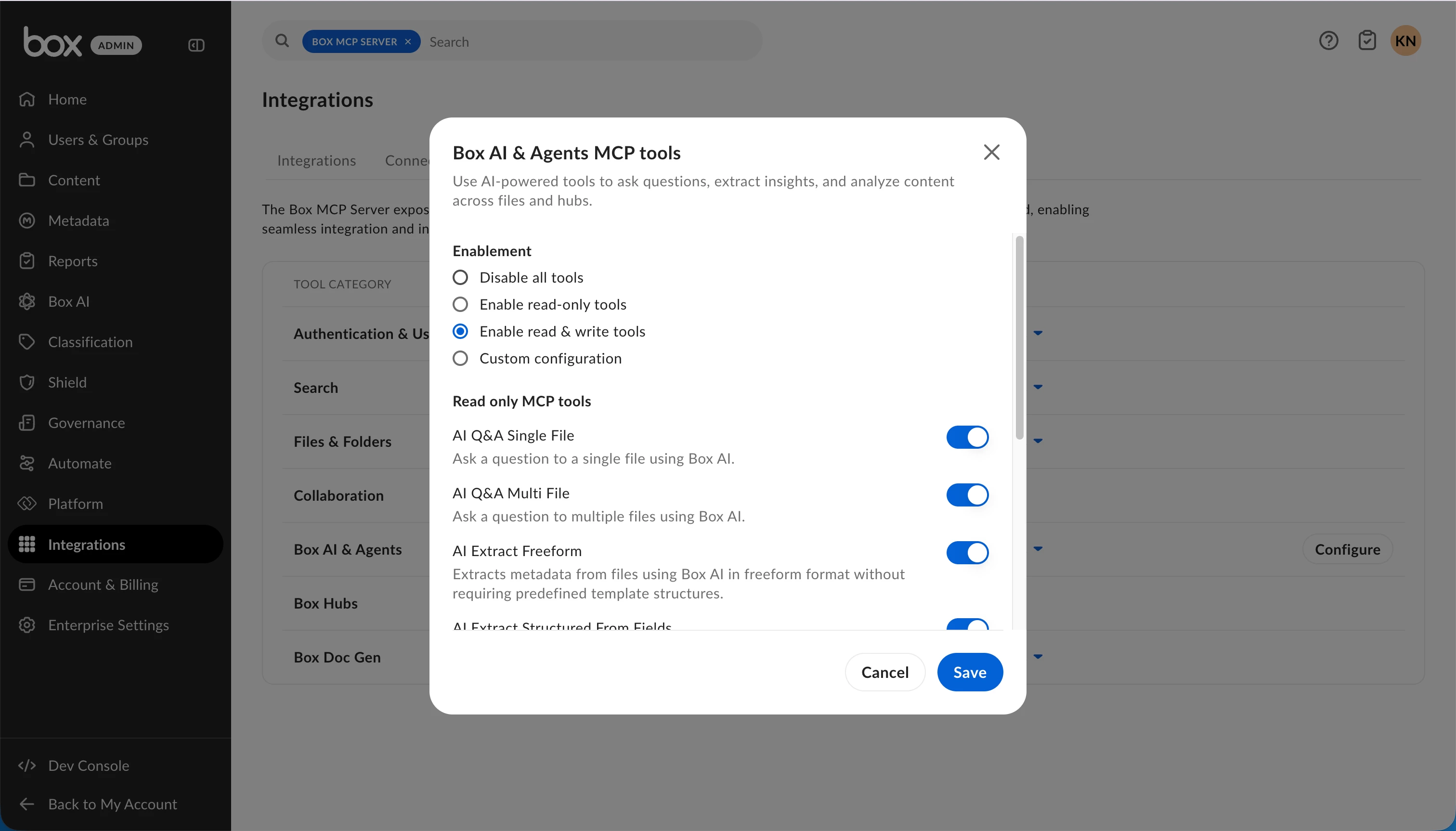
With a dedicated Box MCP server tab in the Admin Console, admins can set access levels for tool categories like Files and Folders, Search, and Collaboration. They can choose Disabled, Read-Only, Read & Write, or Custom settings, and even enable or disable specific tools. The update also includes invisible guardrails, which hide disabled tools from end users, and full auditability so admins can track configuration changes.
These controls are designed to help enterprises support AI agents safely across clients like Claude, ChatGPT, and custom integrations.
To learn more, see the Box MCP server documentation and product announcement.