
Solved

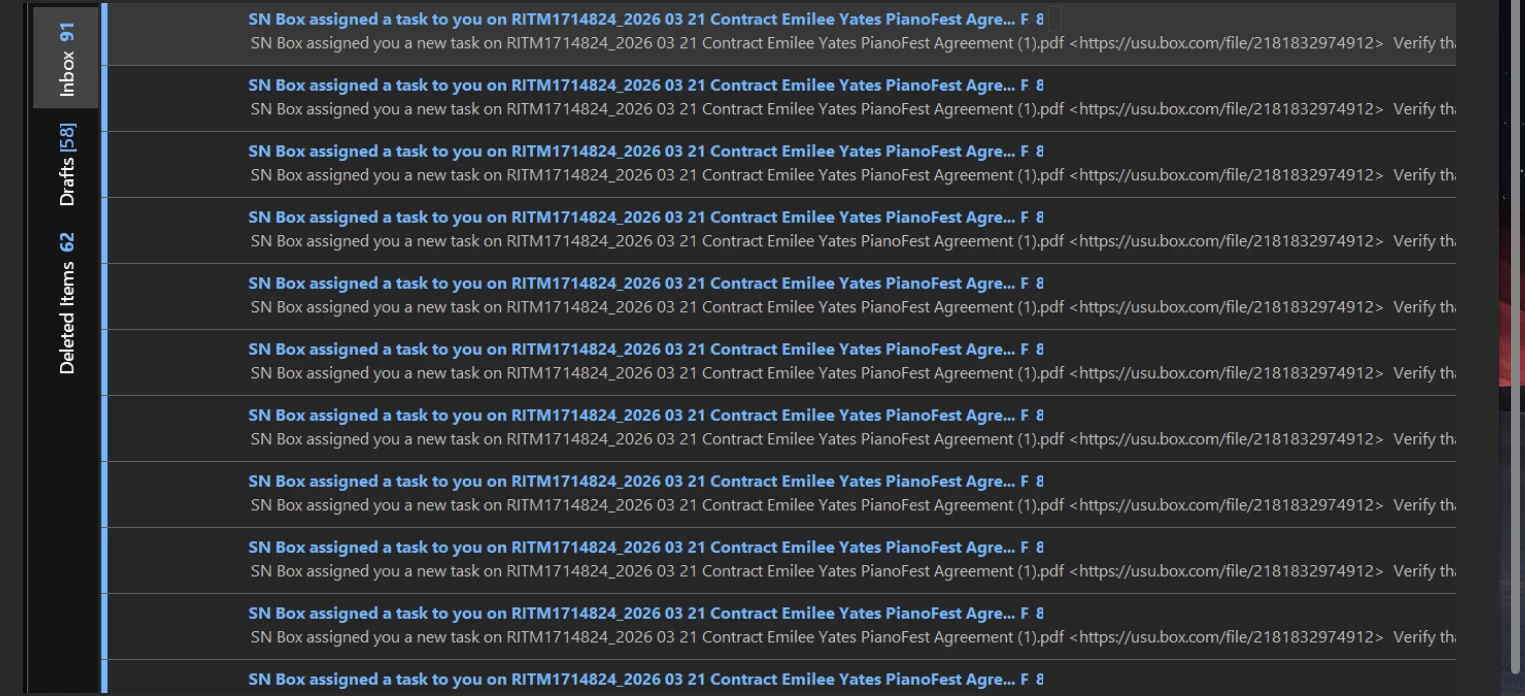
Relay Action Firing 79 times at once when the condition is only met 1 time?

  • April 3, 2026
  • 3 replies
  • 78 views

Chandler Hansen
Forum|alt.badge.img

I have a Relay workflow that is being triggered an excessive number of times and assigning an excessive number of tasks to the same people over and over again, when the conditions for the task to be assigned are only being met once and I make sure to invalidate the conditions as part of the flow, so I can guarantee there is not a feedback loop occurring. 

I initially thought that the issue might be caused because I was evaluating 16 metadata values to trigger the task, so I implemented a “fix” where when the 16 metadata conditions were met, the flow would update a single metadata value. Then a separate flow would listen only for the single metadata value to trigger the task. However, this seems to have exasperated the problem exponentially, not solved it.

Based on that, I would imagine that the solution needs to be cutting down on the number of metadata values being watched for in general, but I can’t let this action fire until an indeterminate number of simultaneous tasks are completed before it. (There can be as many as 15, but as few as 0, and it changes from document to document.) Is there a different way I could be watching for all previous conditions to be met? 
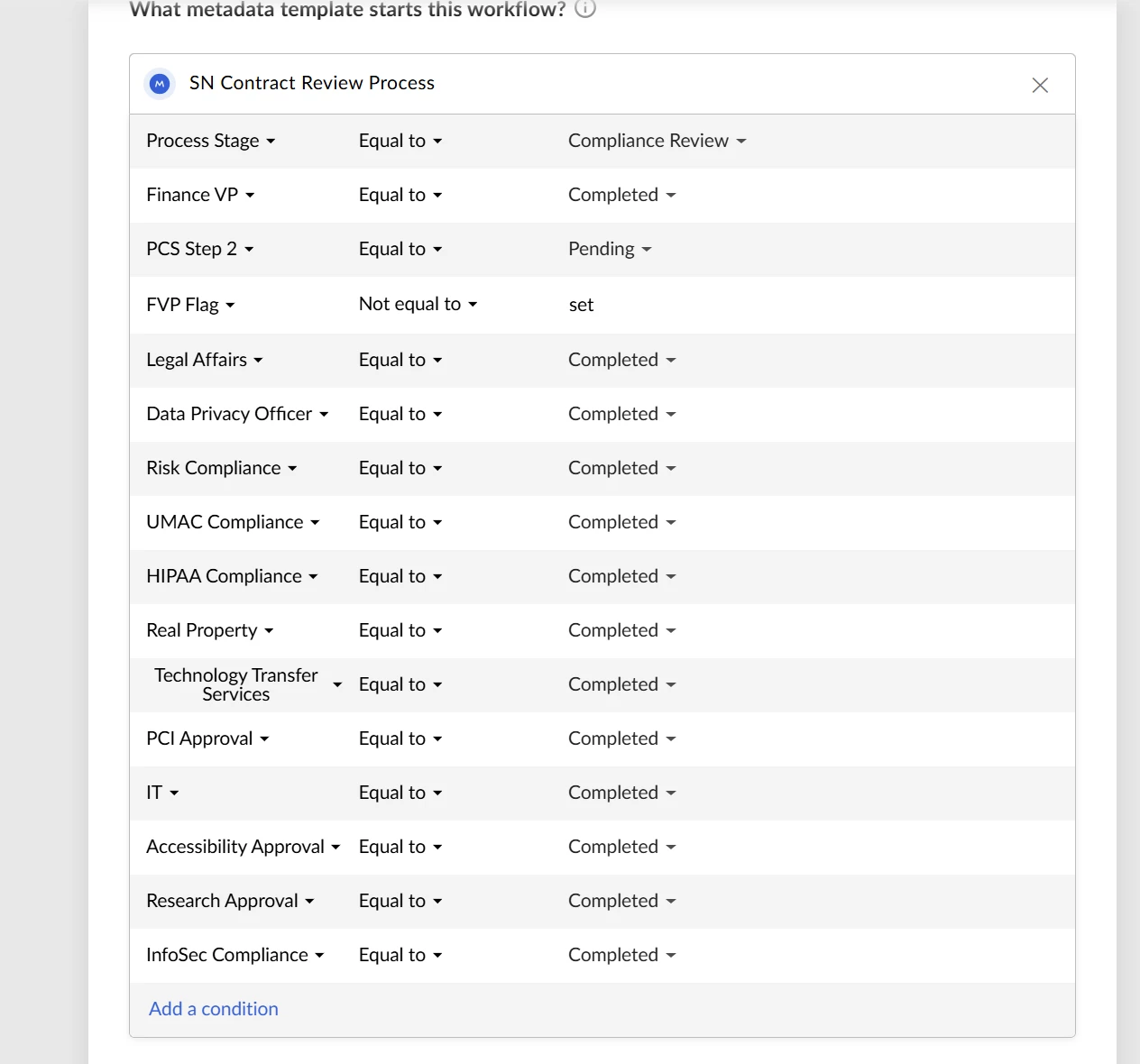
 

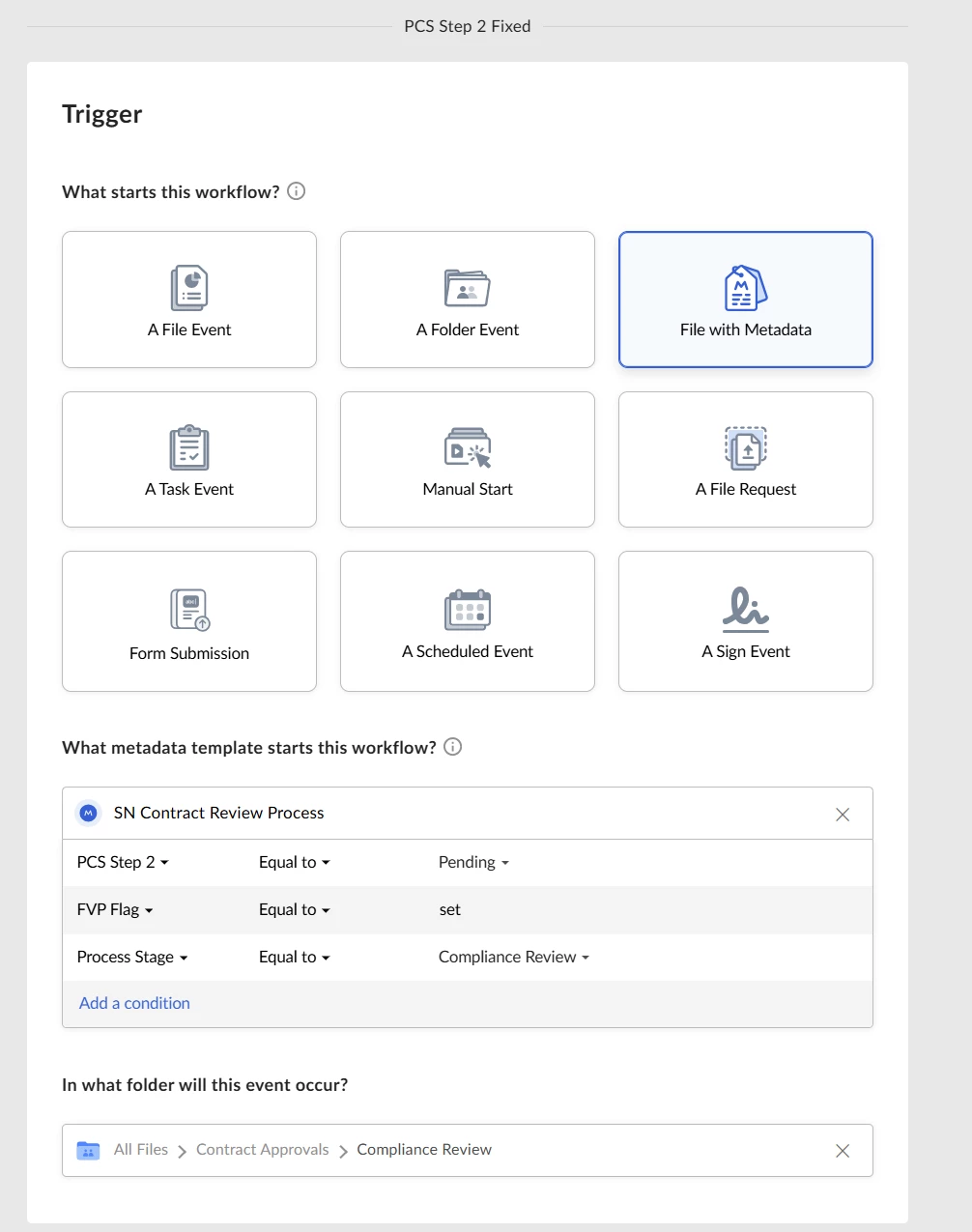
The Initial Metadata Conditions:
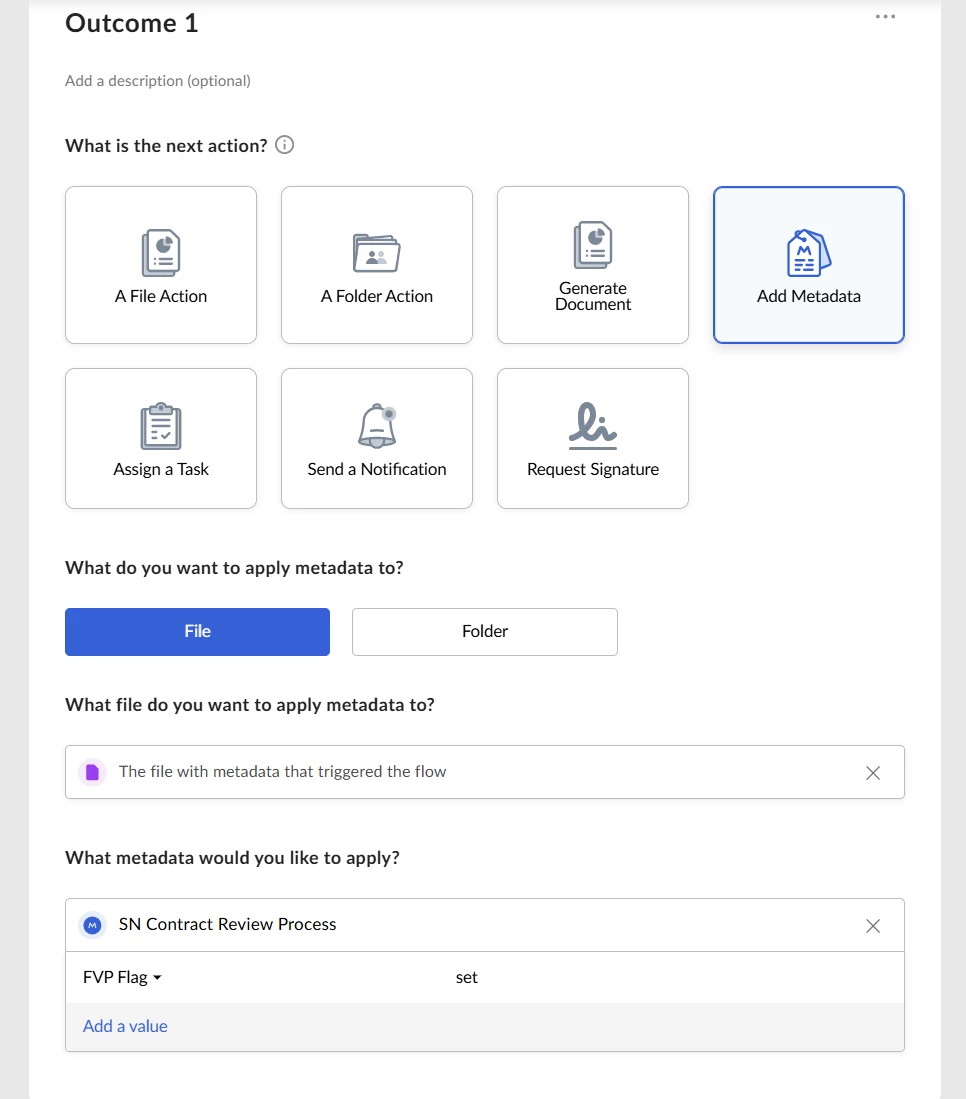
Updating a single value as an attempted fix.
The second flow listening for the single value (and a condition to be extra certain the task hadn’t already fired)
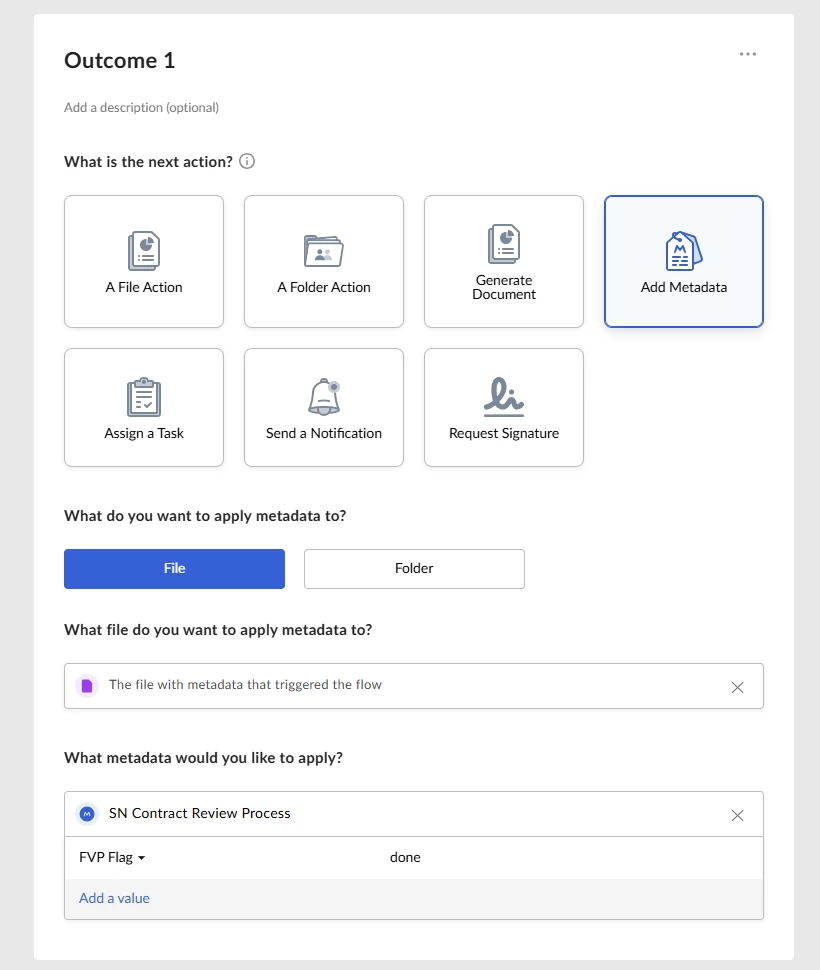
Immediately invalidating the condition for the flow to trigger.
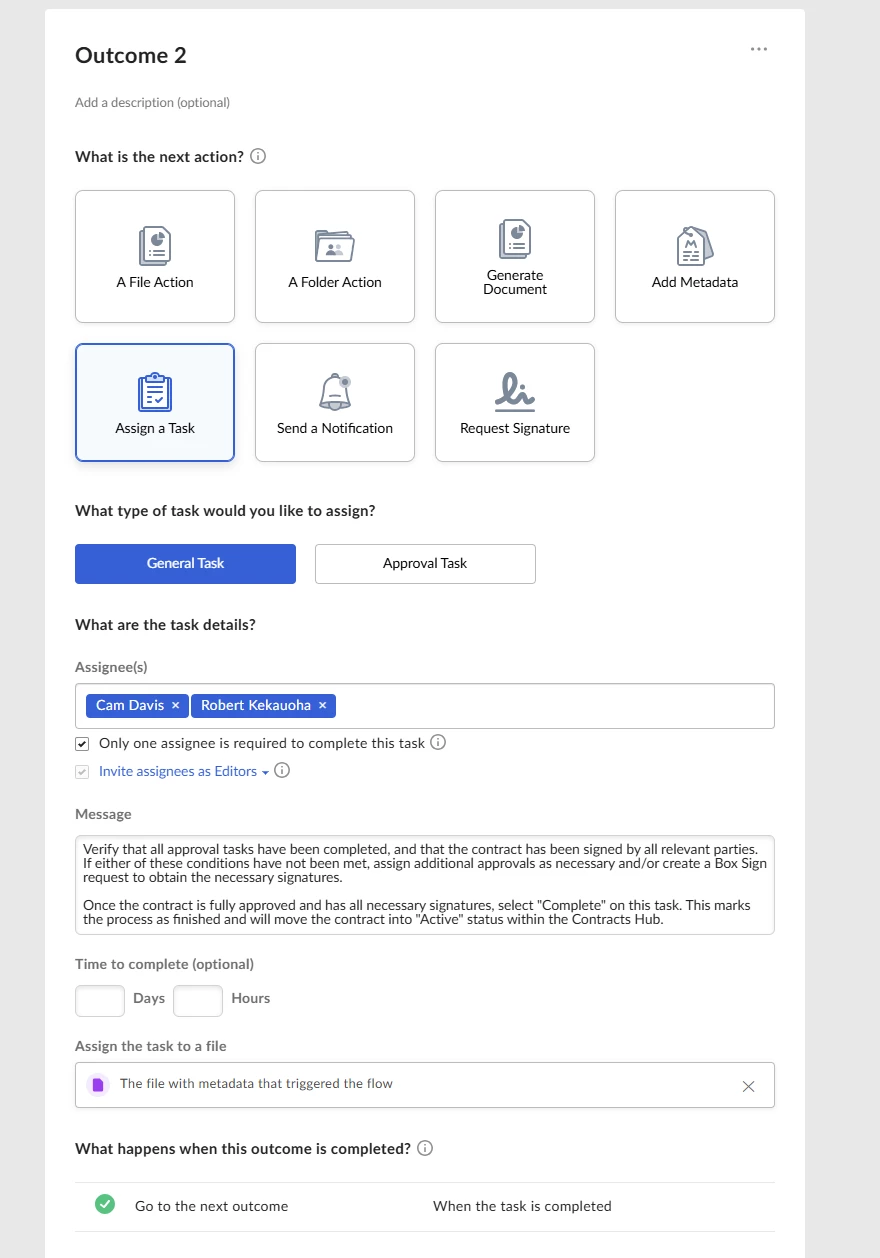
Then assigning the task.
The result (duplicate identical tasks all assigned at the same time.)


Best answer by Jey Bueno Box

👋 Hi ​@Chandler Hansen, thank you for bringing this to our attention. I’ve shared it internally with our product team. Please see the details below.


Relay listens to metadata events (Add/Update/Delete and value changes). When several metadata values are updated around the same time, each event can independently trigger a workflow, leading to multiple concurrent runs. There is no built‑in “run once per item” or event deduplication in current Relay.


Recommended mitigations:

  • Stagger or sequence metadata updates so they don’t occur in parallel. This matches what you are testing and is a supported pattern to reduce duplicate triggers.
  • Narrow trigger conditions to the specific field/value needed, so unrelated metadata writes don’t start runs.
  • Insert a short “buffer” step in the workflow (e.g., a task/approval) to allow other metadata writers to finish before conditions are re‑evaluated.
  • Avoid parallel metadata writers (e.g., Autofiler, extractors, forms) acting on the same item at the same time where possible.
  • Choose the most appropriate trigger type when outcomes depend on metadata.


If you continue to see excessive runs after applying the above mitigations or want design validation, please submit a ticket to Support team or engaging with your Box Account Executive and Customer Success Manager to discuss further. Thank you!

3 replies

Chandler Hansen
Forum|alt.badge.img

As it turns out, the issue was multiple metadata values being updated across multiple flows simultaneously. Essentially, under a specific condition, each of 13 values were being evaluated and updated at the same time across 13 separate flows. When this happened, it caused 13 Metadata Updated triggers, and the metadata object returned by each trigger was identical because it dynamically tracked all of the other simultaneous changes. 

In other words, even though each flow was only actually updating one value, the flows all tracked and logged the changes made by the other flows at the same time. My earlier attempt at a fix exacerbated the issue because it created another layer of Metadata Updated triggers, each of which returned another object that met the necessary conditions for the task to be created. The attempt at invalidating the template through another value that would be updated to no longer meet the flow’s conditions after the flow fired was just too slow. The flow fired multiple times before the invalidation flag was able to actually change. 

What I am attempting now is to stagger the flows that were previously happening simultaneously by having them happen only when the previous one has finished. This should be a negligible difference on the part of the end user, but it should space out the changes just enough so that the conditions for this final task are only met in one Metadata Updated instance. I will report back again if this attempt at a solution still doesn’t work, but if there is no further information is presented in this thread assume this to be the fix.


Jey Bueno Box
  • Community Manager
  • Answer
  • April 14, 2026

👋 Hi ​@Chandler Hansen, thank you for bringing this to our attention. I’ve shared it internally with our product team. Please see the details below.


Relay listens to metadata events (Add/Update/Delete and value changes). When several metadata values are updated around the same time, each event can independently trigger a workflow, leading to multiple concurrent runs. There is no built‑in “run once per item” or event deduplication in current Relay.


Recommended mitigations:

  • Stagger or sequence metadata updates so they don’t occur in parallel. This matches what you are testing and is a supported pattern to reduce duplicate triggers.
  • Narrow trigger conditions to the specific field/value needed, so unrelated metadata writes don’t start runs.
  • Insert a short “buffer” step in the workflow (e.g., a task/approval) to allow other metadata writers to finish before conditions are re‑evaluated.
  • Avoid parallel metadata writers (e.g., Autofiler, extractors, forms) acting on the same item at the same time where possible.
  • Choose the most appropriate trigger type when outcomes depend on metadata.


If you continue to see excessive runs after applying the above mitigations or want design validation, please submit a ticket to Support team or engaging with your Box Account Executive and Customer Success Manager to discuss further. Thank you!


Chandler Hansen
Forum|alt.badge.img
  • Author
  • New Participant
  • April 27, 2026

Note that with the release of Box Automate, it is a far more consistent fix to have the trigger be a different action (“Task Completed” in my case) and evaluate metadata as a step in the flow.