


Thanks to
Agenda:
- Box Automate
- Polls
- Live Demo
- Q&A
Main Topics
1. A Framework for AI-Powered Automation
-
Box AI: Used for accelerating repetitive, day-to-day tasks such as summarizing documents, answering questions about content within Box (e.g., "What is the paternity leave policy?"), or generating new documents.
-
Box Extract: Focused on mining intelligence at scale by transforming unstructured data from raw files into structured metadata that can be used in workflows and applications.
-
Agentic Workflows: The highest level of automation, combining Box AI, Box Extract, and other tools to run complex, multi-step processes without direct supervision. These workflows handle tasks like document intake, categorization, summarization, and approval routing automatically.
2. Live Demo: An Automated HR Onboarding Workflow
-
Intake: A new hire submits their name, start date, and multiple documents (e.g., ID, work authorization) through a Box Form.
-
Processing Loop: The workflow uses a loop to process each submitted file individually.
-
AI Classification: A Box Agent identifies the document type for each file (e.g., 'ID' or 'Work Authorization').
-
Conditional Extraction: Based on the document type, the workflow branches to run a specific Box Extract agent tailored to that document.
-
Organization & Assessment: The workflow creates a structured folder system for the new hire's documents and applies metadata to the main case folder for tracking.
-
Automated Actions & Human-in-the-Loop: If the AI assessment is 'Clear,' the workflow automatically generates an NDA using Doc Gen.
-
Notifications & Integration: Upon final approval, the workflow updates the case status to 'Ready to Start' and sends a notification to a Slack channel, demonstrating integration with external systems.
3. The Future Roadmap
The presenters shared upcoming features for both platforms:
-
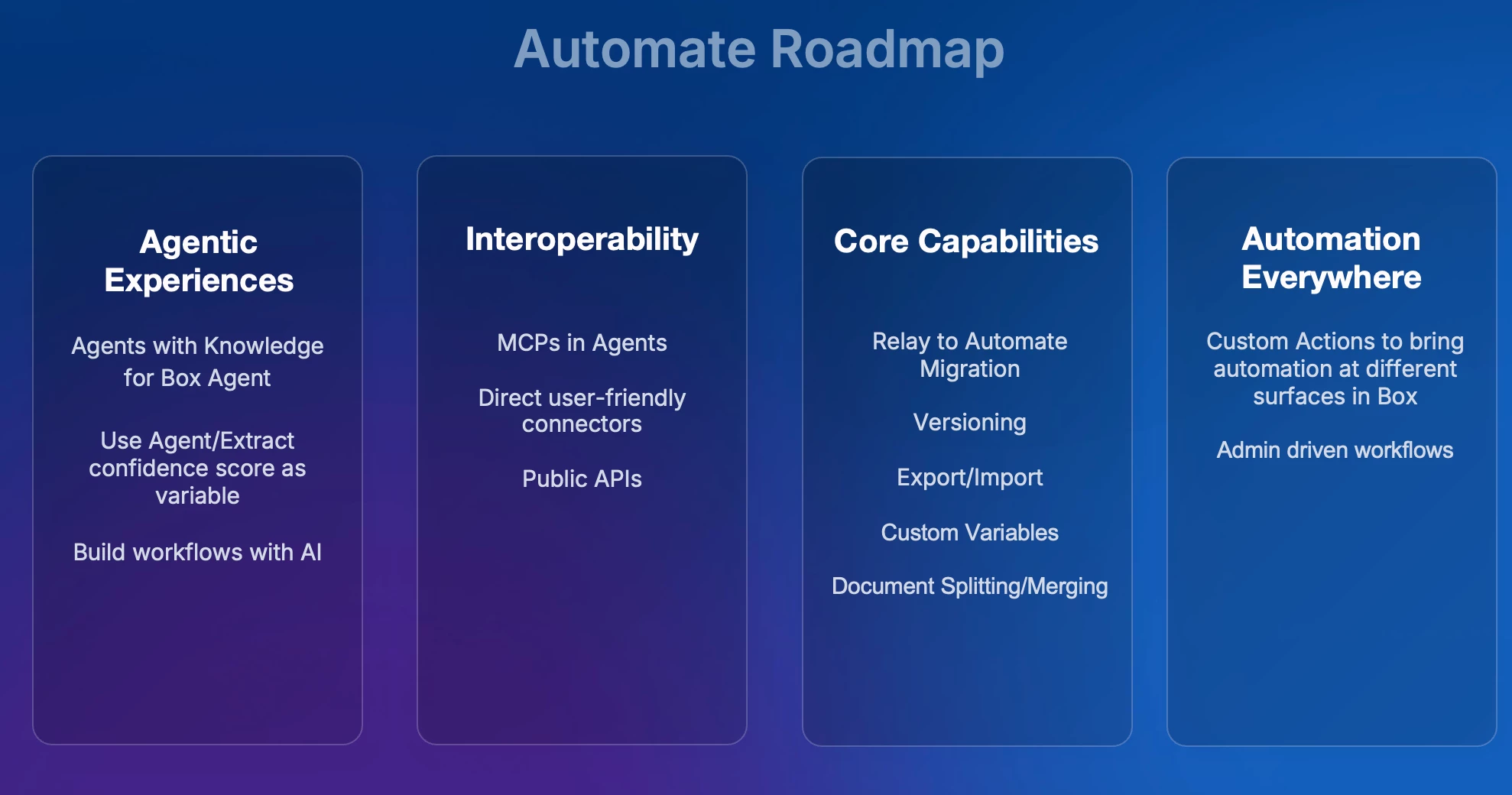
Box Automate Roadmap: Key initiatives include building workflows with AI (describing the desired workflow in natural language), introducing webhook triggers to start workflows from external events, first-class connectors for systems like Salesforce, workflow versioning, and improved migration tools from Box Relay.
-
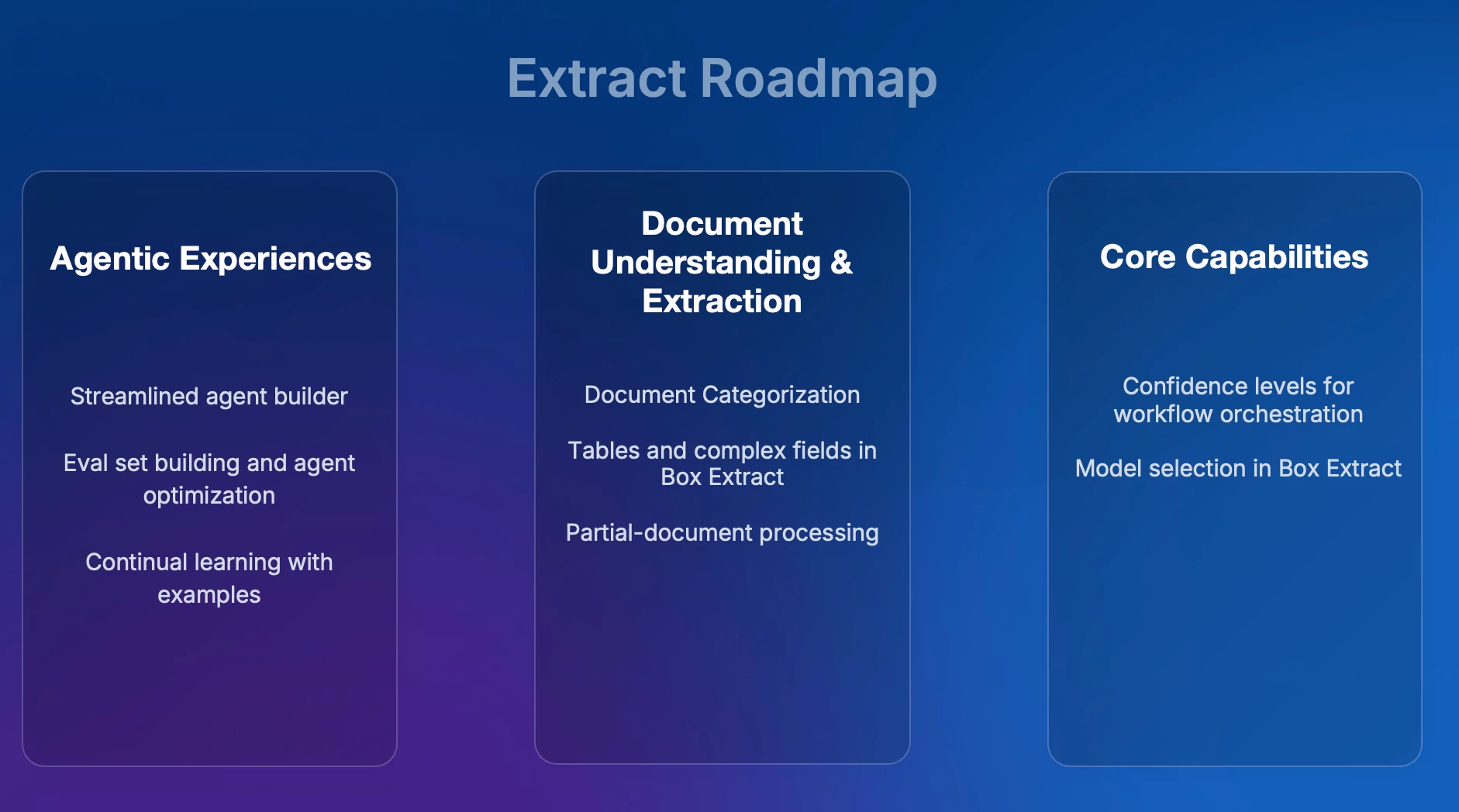
Box Extract Roadmap: Future plans focus on enhancing agentic experiences, including evaluation set building to measure accuracy, model selection within the UI, continual learning from human corrections, seamless document categorization, improved handling of tables and complex fields, and partial document processing to save costs.
Q&A Session
The team addressed several audience questions, clarifying topics such as:
-
Processing Large Files: The current solution is the Doc Splitting API, with plans for partial document processing in Box Extract.
-
Confidence Scores: The ability to use extraction confidence scores to create conditional branches in Automate is a top priority, expected in the November timeframe.
-
Integrations: First-class connectors for tools like ServiceNow and Salesforce are a high-priority initiative for Q4.
-
Workflow Templates: While traditional templates are being considered, the primary focus is on the more powerful and tailored approach of building workflows using AI prompts.
Building workflows with agents? We would love to hear your comments or feedback in the replies!